
- Created by 王浩, last modified on 2026-01-07
You are viewing an old version of this page. View the current version.
Compare with Current View Page History
« Previous Version 2 Next »
场景描述
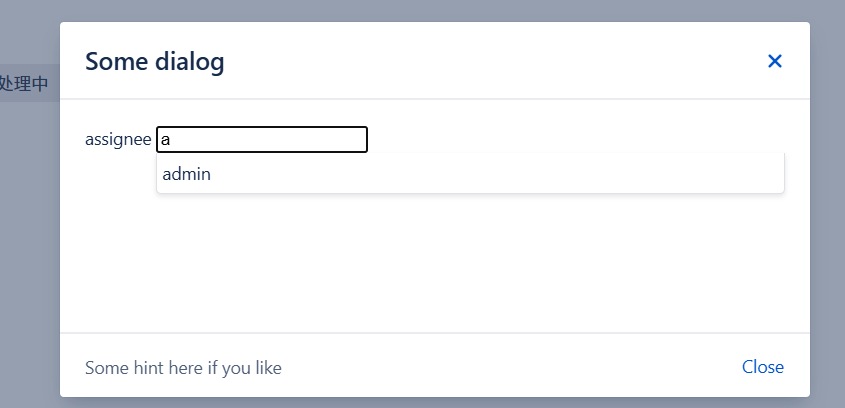
在jira页面中的某一个位置新增一个按钮,点击按钮可以弹出对话框,对话框中的输入框可以模糊搜索用户
实现方案
通过 UI Fragments 功能中的 web-item 的高级功能实现
官方示例链接:Web Item
实现示例
一、通过 REST Endpoints 功能返回一个包含js与css样式的html代码
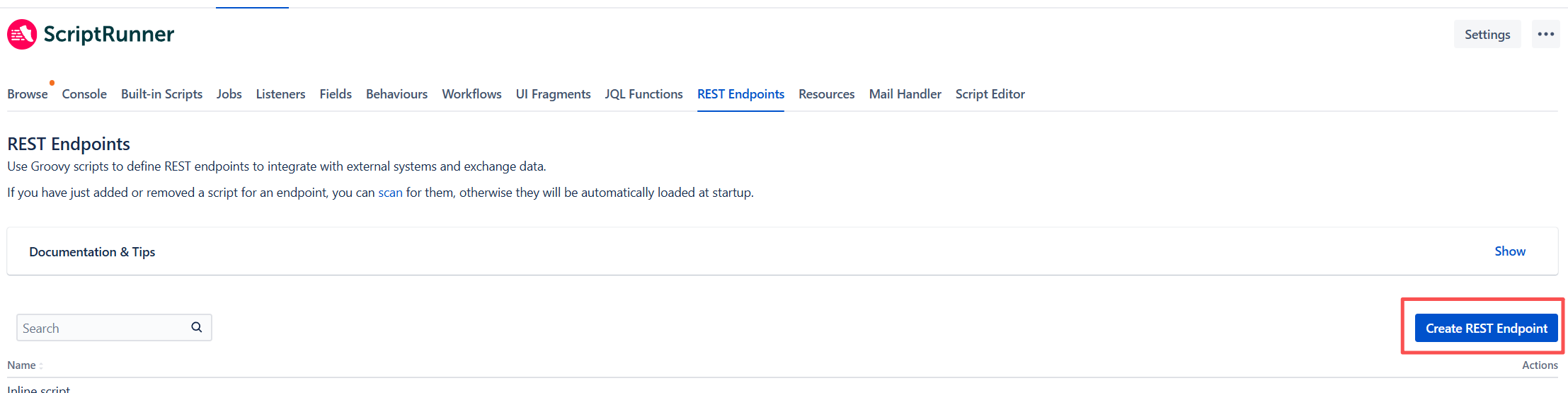
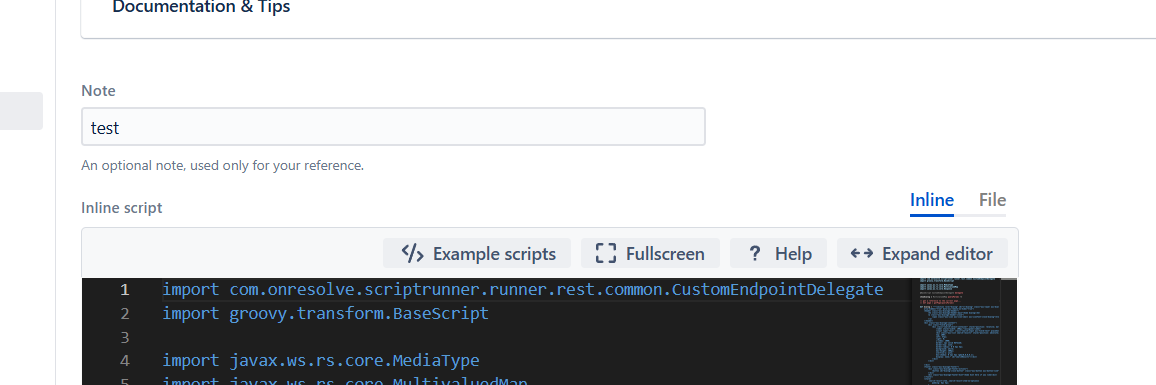
放入以下代码
Expand source
import com.onresolve.scriptrunner.runner.rest.common.CustomEndpointDelegate
import groovy.transform.BaseScript

import javax.ws.rs.core.MediaType
import javax.ws.rs.core.MultivaluedMap
import javax.ws.rs.core.Response

@BaseScript CustomEndpointDelegate delegate

showDialog { MultivaluedMap queryParams ->

// get a reference to the current page...
// def page = getPage(queryParams)

def dialog = """<section role="dialog" id="sr-dialog" class="aui-layer aui-dialog2 aui-dialog2-medium"
    aria-hidden="true" data-aui-remove-on-hide="true">
    <header class="aui-dialog2-header">
        <h2 class="aui-dialog2-header-main">Some dialog</h2>
        <a class="aui-dialog2-header-close">
            <span class="aui-icon aui-icon-small aui-iconfont-close-dialog">Close</span>
        </a>
    </header>
    <div class="aui-dialog2-content">
        <div class="field-group">
            <div class="search-select-container" style="position: relative; margin-bottom: 16px;">
                <label style="width: 100px;">assignee</label>
                <input type="text" class="search-input aui-field-text" placeholder="Search users..." />
                <div class="aui-list search-results" style="position: absolute;
                top: 100%;
                left: 57px;
                right: 0;
                z-index: 1000;
                border: 1px solid #dfe1e6;
                border-top: none;
                border-radius: 0 0 4px 4px;
                background: white;
                max-height: 200px;
                overflow-y: auto;
                box-shadow: 0 2px 4px rgba(0,0,0,0.1);
                display: none;" id="searchResults"></div>
            </div>
        </div>

    </div>
    <footer class="aui-dialog2-footer">
        <div class="aui-dialog2-footer-actions">
            <button id="dialog-close-button" class="aui-button aui-button-link">Close</button>
        </div>
        <div class="aui-dialog2-footer-hint">Some hint here if you like</div>
    </footer>
    <style>
        .search-result-item,.search-result-item-no-options{
            padding: 6px 4px;
        }
        .search-result-item-no-options{
            color: #999;
            user-select: none;
        }
        .search-result-item:hover {
            background: #f7f7f7;
        }
    </style>
    <script>

        (function (global) {
            'use strict';

            var AUI = global.AUI || {};
            AUI.SearchSelect = AUI.SearchSelect || {};

            // 防抖函数(避免频繁请求)
            function debounce(func, wait) {
                let timeout;
                return function executedFunction(...args) {
                    const later = () => {
                        clearTimeout(timeout);
                        func(...args);
                    };
                    clearTimeout(timeout);
                    timeout = setTimeout(later, wait);
                };
            }

            /**
             * 初始化搜索选择框(每次弹窗加载后调用)
             * @param {HTMLElement} container - 包含 .search-input 和 .search-results 的容器
             */
            AUI.SearchSelect.init = function (container) {
                if (!container) return;

                const input = container.querySelector('.search-input');
                const resultsContainer = container.querySelector('.search-results');

                if (!input || !resultsContainer) {
                    console.warn('Search elements not found in container');
                    return;
                }

                // 防抖搜索(300ms 延迟)
                const debouncedSearch = debounce((query) => {
                    if (!query.trim()) {
                        resultsContainer.innerHTML = '';
                        resultsContainer.style.display = 'none';
                        return;
                    }

                    // 每次输入都请求接口,传入 q 参数
                    fetch("/rest/api/2/user/picker?query=" + encodeURIComponent(query.trim()))
                        .then(response => {
                            if (!response.ok) throw new Error('Network error');
                            return response.json();
                        })
                        .then(users => {
                            renderResults(resultsContainer, users);
                        })
                        .catch(err => {
                            console.error('Search failed:', err);
                            resultsContainer.innerHTML = '<div class="aui-list-item search-result-item-no-options">Search failed</div>';
                            resultsContainer.style.display = 'block';
                        });
                }, 300);

                // 绑定输入事件
                input.addEventListener('input', (e) => {
                    debouncedSearch(e.target.value);
                });

                // 点击结果项
                resultsContainer.addEventListener('click', (e) => {
                    if (e.target.classList.contains('search-result-item')) {
                        input.value = e.target.textContent;
                        resultsContainer.style.display = 'none';
                    }
                });

                // 点击外部关闭下拉(可选)
                const handleClickOutside = (e) => {
                    if (!container.contains(e.target)) {
                        resultsContainer.style.display = 'none';
                    }
                };
                document.addEventListener('click', handleClickOutside);

                // 清理函数(可选:用于弹窗关闭时移除监听)
                container._cleanup = () => {
                    document.removeEventListener('click', handleClickOutside);
                };
            };

            function renderResults(container, users) {
                container.innerHTML = '';
                if (!Array.isArray(users.users) || users.total === 0) {
                    const item = document.createElement('div');
                    item.className = 'aui-list-item search-result-item-no-options';
                    item.textContent = "THERE'S NO OPTIONS";
                    container.appendChild(item);
                }

                users.users?.forEach(user => {
                    const item = document.createElement('div');
                    item.className = 'aui-list-item search-result-item';
                    item.textContent = user.displayName; // 假设接口返回 { name: "..." }
                    container.appendChild(item);
                });

                container.style.display = 'block';
            }

            global.AUI = AUI;
        })(window);


        var container = document.getElementById("sr-dialog");
        AUI.SearchSelect.init(container);


    </script>
</section>
"""

Response.ok().type(MediaType.TEXT_HTML).entity(dialog.toString()).build()
}
二、通过 UI Fragments 添加一个web-item
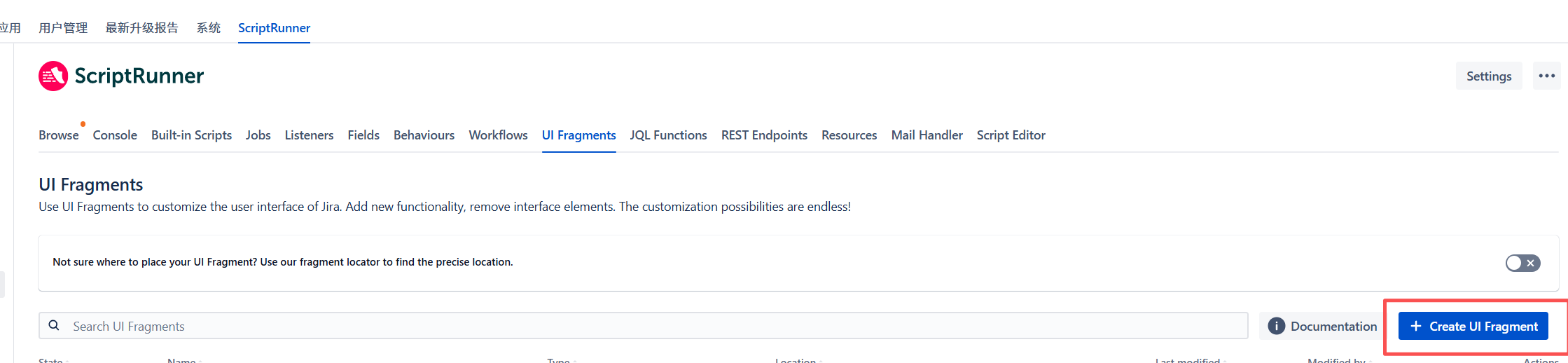
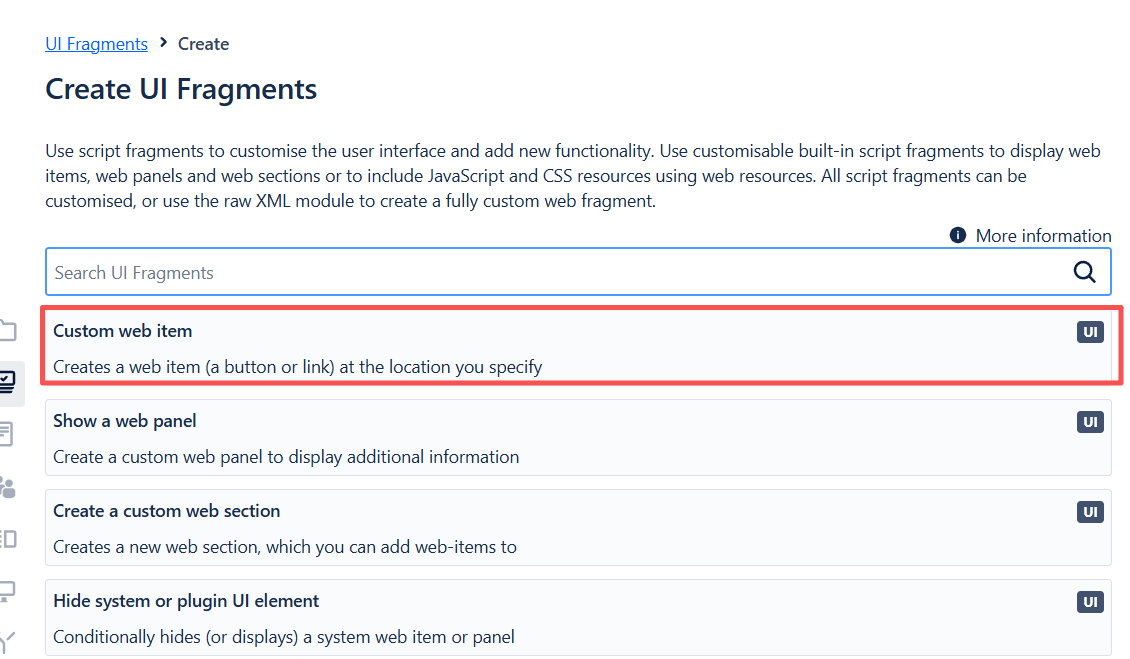
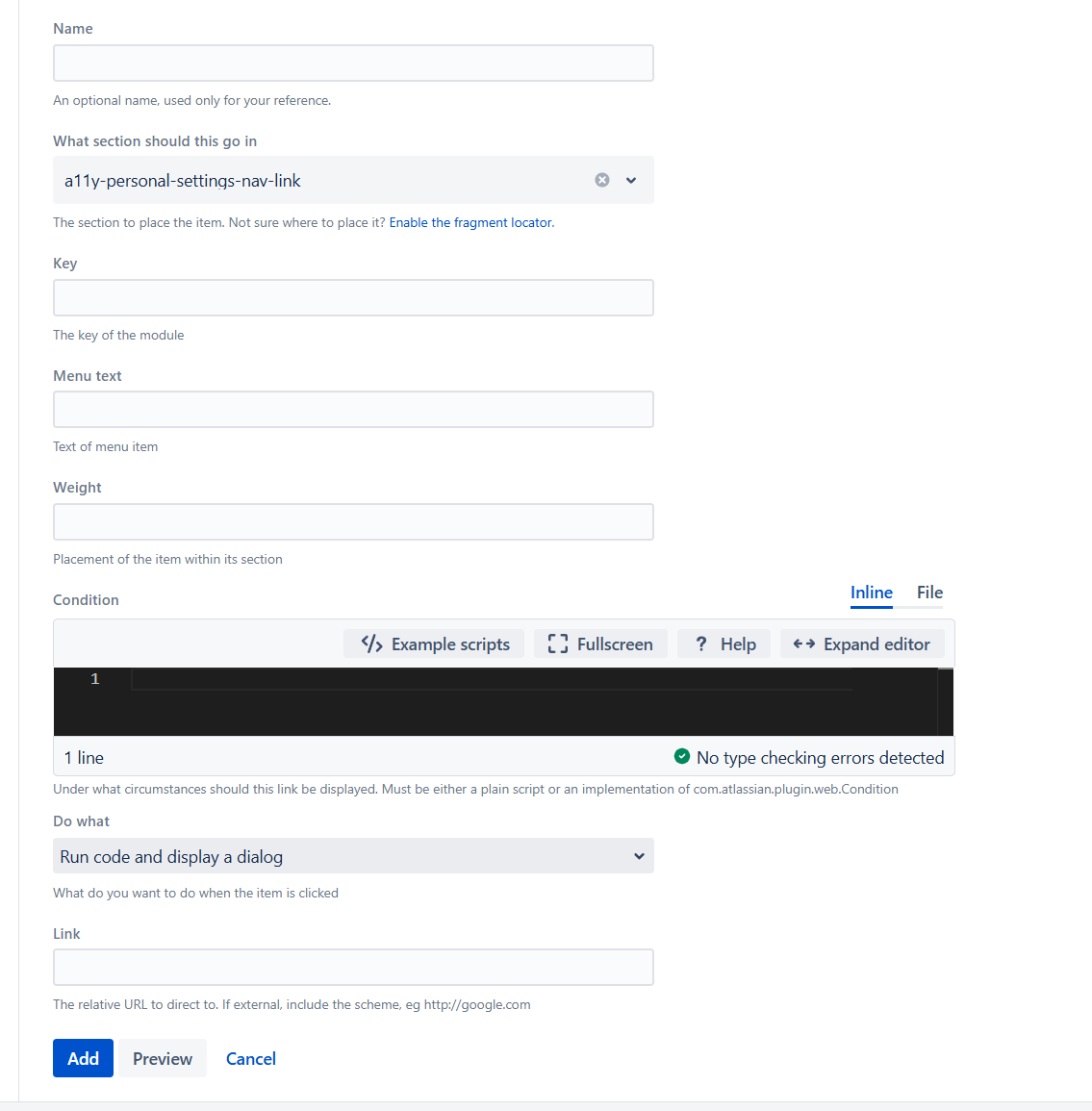
输入位置与文本后选择按钮类型
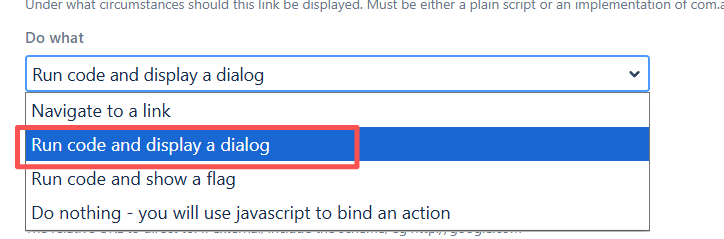
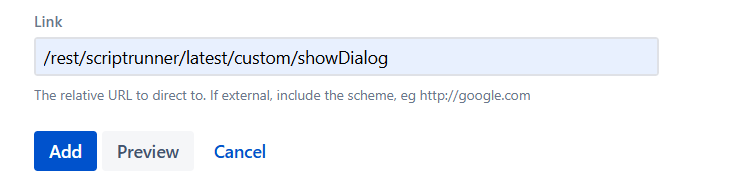
输入刚刚创建的rest的链接地址并保存即可
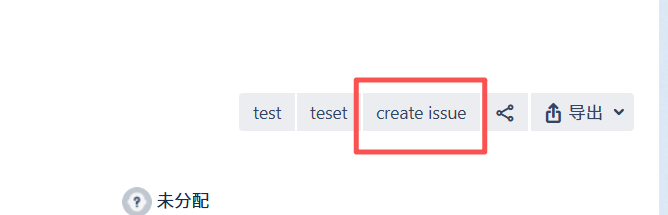
效果
- No labels